Showing posts with label augmented reality. Show all posts

Monday, April 20, 2020

Awesome Augmented Reality with EyeJack


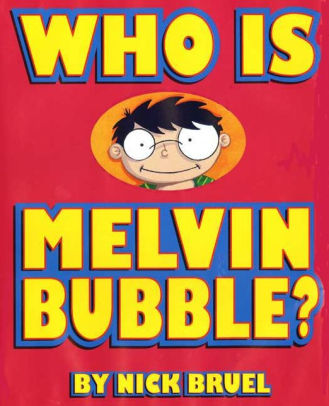
Shirley Rossman, 4th Grade Teacher at West Holt Elementary, leads her students in a creative autobiographical writing project each year. Based on the book "Who is Melvin Bubble?" by Nick Bruel, students engage in perspective writing, as each page describes themself through the eyes of a friend or family member. The final page is all about the student from the point of view of the student themself, and this is where we collaborated for an augmented reality twist to this project. 

  • Students wrote their drafts on paper and collected digital images of the family members and friends who were "telling the story."
  • I created a template file in Keynote that students could personalize with their content and eventually export as pdf for self-publishing/printing. 
  • Using the camera on an iPad, students took pictures of each of their handwritten final draft pages and added them to the appropriate placeholders in the Keynote template.
  • Each photo of the "narrator" of the page was opened in the Clips app, a cartoon filter was added, saved to camera roll, and then Airdropped to the students to add to their book file. 
  • We took photos of the students themself (one close up of their face for the cover and a full-body waving shot for the first and last pages) and used the Clips app to "cartoonize" and Airdrop as well. 
  • Using the free voice memos app each student recorded an audio narration of their final page of text (explaining who they are from their own point of view). 


Using Keynote again, students created an animation for their final page. The trigger image was their waving photo. It was added to a slide and then that slide was duplicated. Slide 1 will become your trigger image (export as png with transparent background) and Slide 2 is where you lock the image to the background and then create your animation around it. Then shapes, drawings, images, etc. were added, formatted, and then animated with motion paths and effects. Timings could be set to automatic, but students were encouraged to aim for about 30 seconds of total animation length (to match the maximum audio recording duration). When complete, the background image was unlocked and deleted, the slide background was set to transparent, and the 2nd slide was exported as a gif. 

I used the EyeJack Creator app (free download for Mac) to assemble each student's augmented reality experience for their final page. 
  1. Add trigger image (exported png from 1st Keynote slide)
  2. Upload animated gif (exported from 2nd Keynote slide)
  3. Add audio (mp3 from Voice Memos)
The EyeJack Creator app generates a QR code which is also saved and placed on the page in each students' Keynote "book."

Now, when people read their book, they use the free EyeJack app on their phone to scan that QR code and then hover over the trigger image on the page to see the animated come to life in AR. 

Each student's finished Keynote book was exported as a pdf. 
I used the softcover Tradebook option (Economy, color) on blurb.com to order a printed copy for each student and their family. (Approximately $5 each when all was said and done.)


In addition, for fun, I made a version for Mrs. Rossman and myself that had just the final page from every student's book into a class compilation of Augmented Reality student "About Me" animations. 


Tuesday, October 29, 2019

Topics and Trends in Tech Integration (November newsletter article)

Topics and Trends in Tech Integration
By Katie Morrow, ESU 8


The following are current technology integration projects and practices that ESU 8 schools have been busy with recently. Remember that the invitation is always open if you see something from this list that you would like to try in your classroom. Contact us at ESU 8 and we would love to help get something planned in your school!
  • Digital book creation: A digital book is so much more than a book. Rather it is a container/organizer for all kinds of learning! Use a digital book as an investigation journal, a portfolio, a class collection of pages on a larger topic, or even a way to document a school event. Publish and share with the world without wasting any printer ink!
  • Creative media production: Whether a quick project like the greenscreen “Wormhole Challenge” or a class project like content area student-produced videos, students can practice interview skills, speaking skills, editing and creativity. Videos are a universal way to share what is being learned in the classroom with the rest of the world!
  • VR and AR: Virtual and augmented reality can bring content to life. Students can experience apps to take them places they couldn’t normally go: for example the inside of body systems or underneath the ocean floor. Also possible is students creating their own VR and AR creations with tools such as Google's Tour Creator, AR Makr app, or Blippar.
  • Digital resources for research: Utilize World Book online, Learn 360, or Virtual Field Trips to connect your class with first rate global resources- all with virtually no cost. Avoid simply going on a Google search and use higher quality resources for whatever your next educational project may be.
  • Blended Learning and PBL: Here’s a framework or a learning methodology to make your next project more student directed. Student agency empowers learners to be responsible for choices impacting their productivity and understanding of content. Make your next unit more personalized by blending in some project based learning or station rotation experiences.  
  • Gamify with assessment tools: Use technology for your next classroom review session and make learning fun! There are so many readily available formative assessment tools that you can choose a new one each unit so students don’t grow tired of any of them. Even some traditional tools have new features, so ask about ways to gamify that next class review session. 
  • Learning Management System tools like Canvas or Google Classroom: The easiest way to take technology integration to the next level in your classroom is to employ a system of content delivery and student interaction. Even Apple Classroom has updates to make their newest technology more manageable for all. Work with us to uncover ways your LMS can allow for more productive learning environments. 
  • Coding: Expose students to computational thinking by integrating some analog "intro to coding” activities. Or give them time to explore Swift Playgrounds on iPad or the code.org website. Or bring the Sphero programmable robots to your school for a coding kick-off activity. Once you get kids hooked, the sky is the limit for their future!

For additional ideas and examples from ESU 8 schools recently, be sure to check out my Instructional Tech at ESU 8 blog at: https://esu8tech.blogspot.com  

Saturday, August 4, 2018

If I Were a Wizard: Coding for Littles... And More!

Last week, I was delighted to find this book delivered in my mailbox from Amazon. 
"If I Were A Wizard" (hardback) by Paul Hamilton
At first glance, it looks like another delightful children's book, doesn't it? In actuality, "If I Were a Wizard" by Paul Hamilton teaches readers young and old all about computational thinking and coding concepts. And it does this without intimidating terminology (and yet provides connections at the end). 

When I talked with Paul this July at the 2018 Apple Distinguished Educator Institute, I was amazed by his humility. It struck a chord with me when he mentioned that humans are drawn to story, but true connections are made via characters. Thus he created Hazel. And Hazel is more than a beautiful mouse on the pages of the book or the digital swipes in iBooks. Hazel is a relatable comrade for all those who get to know her. Students can "meet" Hazel and experience her world through Augmented Reality with the free app Wizard AR. While exploring this magical world, teachers like Katie Gardner can capitalize on creative writing opportunities. Or simply enjoy an original title track performed by a beautiful young vocal wizard. Teachers can build closer relationships with Hazel by visiting the wizardcodingbook.com website and downloading the numerous free educational resources-- writing, math, art, and even more beyond just coding. It is clear to see that Paul has created more than just a coding book!

https://www.wizardcodingbook.com 
It is hard to debate the value in teaching coding concepts in today's primary classrooms. With "If I Were a Wizard" young children of all ages and backgrounds will be inspired to consider today's reality-- that they, too, can code.  And I will continue to be inspired by the author's dedication to education that matters. 

Monday, February 12, 2018

"The Important Thing" about Augmented Reality

The important thing about augmented reality is that it is a great way to merge digital and analog student-created content. It is true that with the free app Blippar, it is simple enough for third graders to use. It offers great options for a student publishing project, and will likely response many positive reactions from your entire learning community. But the important thing about augmented reality is that it is a great way to merge digital and analog student-created content.

Many may recognize this text pattern from Margaret Wise Brown's The Important Book. Recently this text was used as the basis for a third grade project in Mrs. Pistulka's reading class while learning about their local community history.

Katie Morrow from ESU 8 worked with the class to assemble the pages students wrote and the illustrations they created into a book modeled after “The Important Book” by Margaret Wise Brown. Then we made the pages “come alive” through augmented reality. Basically, if you download the free Blippar app on your smart phone, and enter our localized "code", then you can scan the pages of the book and videos will “pop up” where the students teach you even more!

Here are the steps completed in the process:

  1. Mrs. Pistulka encourages her reading class to learn about community history in creative ways. First students learned about O'Neill's past by interviewing a local historian and viewing past projects.
  2. Second, students selected a key person who has had an impact on our community of O’Neill. Each 3rd grader researched their "Important Person” and took notes. 
  3. They then wrote their narratives for the pages of the book, modeled after Margaret Wise Brown’s The Important Book.
  4. Next, students decided on an additional fact or interesting tidbit to share out loud in their video.
  5. Mrs. Morrow helped us film in front of a greenscreen that we borrowed from the Eagle Eye News crew.
  6. Each student created an illustration to go with our page and hand-wrote our “Important Book" text onto a template page. 
  7. Mrs. Morrow took photos of all our pages and uploaded them to BlippBuilder hub to make them come alive with Augmented Reality (AR).
  8. Finally, Mrs. Pistulka sent our book off to be printed so we could share our creation with others!


And here is the end result:

on iBooks (free for anyone with a Mac or iPad to download and try out)
The Important Book of O’Neill, Nebraska

and physical books printed through Blurb.com (approximately $6 for each economy color, soft-bound  trade book).

Thursday, May 18, 2017

Student Publishing: Merging analog and digital with augmented reality

Don't abandon printed projects... just enhance them with technology integration!
This was a driving force in a recent project I had the honor of working on with the West Holt 4th grade classes. Mrs. Shirley Rossman wanted to create a class book to demonstrate their collective knowledge of Nebraska history. And the 150th anniversary of Nebraska's statehood was the perfect backdrop. 

Excitingly, she reached out to me looking for ways to infuse digital media into the printed, bound book that she envisioned as a class product. We collaborated to design an augmented reality experience for the reader, where each student's two-page spread could be brought to life with AR. 


This was our process:

1. Text development

Students selected their Nebraska topics, researched them, and wrote their text narrative for their page.  The pages of the book were mapped out on large classroom posters. To preserve the authentic student-authored look and feel, Mrs. Rossman had each student hand write their text onto one of the page templates to go to the Schoolmate Publishing Company that she had selected to produce the class book. 


2. Create trigger images

Students created original artwork to accompany each page of text, again drawing by hand on the book template pages. I used the iPad to take a quick photo of each student's page of artwork so that I could designate each one as a trigger image for the augmented reality we planned to build in. 

*Side Note: I applaud the originality and creativity of the students' hand-drawn images. While it would have been easy to find images online or even create them digitally, the authenticity of these students' illustrations makes the book extra special. 


3. Create media assets

Each student had the opportunity to create at least one media asset to accentuate their topic. We talked about bringing their research "to life" and trying to enhance the content in a creative, not simply redundant way. This was truly where student choice and voice could shine. App which I demonstrated as suggestions to choose from included:
  • Chatterpix
  • Tellagami
  • Toontastic/Toontastic 3D
  • Puppet Pals 1&2
  • WordFoto
  • iMovie
  • DoInk Greenscreen
Nearly every app was new to the students but the definitely jumped in and learned quickly! Some student seven created multiple assets that could be selected when readers scanned their image. Mrs. Rossman did a wonderful job of coordinating additional parent volunteers, para professionals' help, and simply workspace on the days we reserved for media production. 

We did post all the video assets on a YouTube playlist, just as a secondary way to showcase the students' work and creativity. 


4. Blipp-building with Blippar

While Mrs. Rossman sent away the physical pages of the book to be printed and bound, I began working to develop the augmented reality interface.

I selected Blippar as our AR platform because of its reputation with education, in addition to its free price. Teachers can sign up for the Blipp-builder dashboard and create unlimited "blimps" for their classroom, completely for free.  Blippar, the app which readers will use to 'scan' the pages, is free as well, and available from both the iTunes and Google Play Store.

While the blimps created with an educational account aren't "public" they can easily be viewed with a simply "campaign code." This is a 5 digit number that users enters into the settings of the app prior to scanning. We put these directions as the pregame page in our book:

The Blippar dashboard asks you to first name your campaign: West Holt 4th Grade NE History Book and then create a blipp for each student by uploading their trigger image. 


To add to the interaction, you have several options. The student's media asset can be displayed on initial startup. Or you can add a "button" for the user to tap to initiate the media asset. Sometimes I used generic buttons from the Blippar library, but often I used a custom logo that I created for the project and uploaded to the Blippar library. 
Various actions can be accommodated on each tap. Ones we primarily used included:
  • play video (either uploaded directly to Blippar or linked online)
  • view image gallery
  • go to URL
  • open PDF
Each blipp needs to be saved and published individually, but all can be accessed with the one campaign code in the app. 


It seems there is a world of untapped potential to blips-building and I have a feeling that we only scratched the surface with this project!

Tuesday, December 1, 2015

Augmented and Virtual Reality in Education

Augmented Reality: Make Learning Magically Come Alive!
Resources curated by Katie Morrow Last Update: November 2015


Terminology
A.R. - making something come to life
aura - the magic thing that pops up when you hold your device over something
trigger image - the normal picture that you want to make come to life
overlay - the thing you will apply on top of a trigger image (usually a video)
Aurasma and Blippar - free apps to make A.R.


(free book for iBooks from educator Paul Hamilton)


Experience A.R.


Uses of A.R.
  • book reports
  • oral reports
  • math worksheets
  • school promotion


Venues for A.R.
  • school hallways
  • project fairs
  • library book covers
  • student worksheets


Design your own Augmented Reality experience


Additional Resources


Aurasma Lesson Ideas from the iBooks Store:


Blippar book with lesson ideas from the iBooks Store:


Experience the Blue Angels in 360 degree video from your Chrome browser:


TED Talk on Virtual Reality and the Human Connection by Chris Milk
VRSE app: http://vrse.com


Google Cardboard in Education
Expeditions program: https://www.google.com/edu/expeditions/