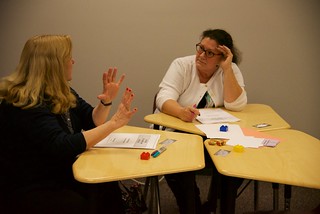
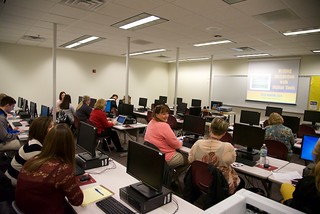
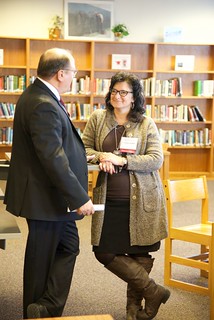
In a recent NETA 2018 presentation, co-presenter Ann Feldmann and I shared 10 simple ways to reach all learners with built-in iPad features- designed to take learning in your own hands!
Accessibility features were not created merely for learners with disabilities. Rather, with Universal Design for Learning (UDL) principles, all students can be empowered to customize and streamline their own personal workflows. “Designing learning for all empowers every single student.” -Ann Feldmann
Teach a man to fish, and you feed him for a lifetime. ~Chinese Proverb "iPad accessibility helps each student be in charge of their own, best learning… for a lifetime." -Katie Morrow
The following videos are screencasts to illustrate the slides on the digital handout found at: http://neta18.weebly.com/10-ways-to-transform.html
UDL Guidelines: Provide multiple means of Engagement
1. Assistive Touch
2. Airdrop
3. Split Screen + Notes
UDL Guidelines: Provide multiple means of Representation
4. Speak Screen & Speak Selection
5. Dictation & World Languages
6. Scan & Annotate
7. Screenshot & Annotate
UDL Guidelines: Provide multiple means of Action and Expression
Building Word Wizards with Creation Apps (NETA 2018)
Use the power of iPad to transform students into vocabulary wizards in the K-12 classroom. Learn about 10 creation apps that will move your students from consumers to creators and empower them to expand their word wizard skills. Walk away with ideas and apps to use immediately in your classroom. Bring your iPad and create some ‘magic’ along with us.
Let's take a closer look at what sets Apple's iWork apps apart from other app suites by exploring a few skills and accompanying projects possible in Keynote.
Use Shapes Library & Drawing Tools --- to create --- Infographics
Use Magic Move --- to create --- Animated Learning
Use Links and invisible buttons --- to create --- Quiz Shows
Don't hesitate to begin with the free Starter Guides from Apple Teacher:
Nebraska educators have been implementing and reaping the benefits of blended learning for quite some time. ESU 8 teachers are no different. One of our most respected experts in the field is Catlin Tucker, blended learning practitioner, guru, and published author. Her book titles, especially Blended Learning in Grades 4-12, have paved the way for many classrooms to begin blending and adapting the techniques for their own needs.
Even more valuable, however, is Catlin's experience as a practicing teacher in California. For the approximately 50 professionals who gathered together at the Lifelong Learning Center on June 9, her classroom examples and advice from the trenches were spot-on and tremendously helpful.
The crux of the day was spent experiencing blended learning's most well-known model: station rotation. We not only experience Catlin's station-rotation experience (all centered around dynamic student discussions) but also learned many implementation tips.
Catlin shared an expert look into the flipped classroom model of blended learning and ways to adapt it to leverage even more student engagement and success.
Another highlight of the day was playing a classroom vocabulary game Catlin created with her students, modeled after 'Word Sneak' from the Tonight Show.
All in all, the day was a successful blending of pedagogy and practices, interaction and inspiration. Nebraska educators who attended were excited to work on implementation goals for the upcoming school year... even this early in summer vacation!
You’ve heard of STEM, but how can we add STEAM power to our students’ educational environment? Join us to learn how ESU 8 has developed STEAM summer camps to enrich students’ experiences in Science, Technology, Engineering, Art, and Math. Learn great ideas for any teacher or administrator looking to incorporate enrichment programs, clubs, or activities for their school or classroom.
Connecting, Communicating, and Collaborating are essential skills for today’s learners. How can we create classroom experiences that apply these skills on a global level? Discover the simple and practical possibilities of incorporating global collaboration projects and platforms for your school.
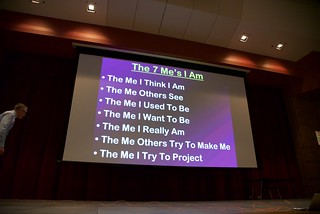
Are students disengaged with your traditional presentation design? Are staff members turned off by your presentation delivery? Find out ways to improve your next presentation, whether for professional learning experiences or everyday classroom instruction. Explore concepts in layout & design, strategies for engaging your audience, and presentation techniques used by some of the world’s best speakers. Make your next presentation rock! Resources to accompany “Impact Your Audience: Presentations that rock!”
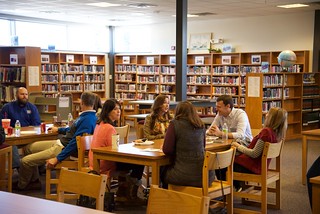
Friday, February 12, 2016 was a career exploration day at Madison Public School, and I was lucky to be invited to participate. Every student in grades 9-12 rotated through eight different sessions with professionals sharing about their chosen career path. The day was designed by Karla Kush, Guidance Counselor and Jim Crill, HS Principal, and Madison has done variations of the experience several times in the past. What a great opportunity for students to link purpose for what they are doing in school and discover many different options for professional ambitions!
Guest speakers at Madison Public School's Career Day, February 12, 2016
In each of the 8 rotations, students were tasked with completing a "Career Report" which not only helped guide the discussions, but also helped students make connections to their personal goals.
I began by sharing a brief story of my journey to getting to my current professional role.
Next, I talked about some of my experiences through the SMART Exemplary Educator, Google Certified Teacher, and Apple Distinguished Educator programs, and what leading technology companies today are looking for in future employees. Instead of seeking "clicking skills," software expertise, or even GPA, it is more important to have innovative ideas and the ability to prove yourself as a self-directed learner.
I encouraged students to open their minds to additional opportunities that exist within the fields of educational technology. When I think about all the "jobs" that I have had even as "just a teacher" it is really mind-boggling. In education you can not only be a teacher, but a writer, presenter/speaker, leader/administrator, coach, counselor, media specialist, tutor, curriculum developer, and teach online classes. In the field of technology I have had experiences with web design, coding, network & systems administration, social media, animation, graphic design, and multimedia creation, just to name a few. The possibilities are truly endless, if students are willing to approach the career with an open mindset and be willing to continually keep learning.
And to do so, there is no time better than the present. I concluded by sharing three valuable tools/tips for pursuing any profession or career, even while they are still in high school.
1) Get motivated by TED Talks and see others' inspiring ideas take shape into action. Follow their lead or apply to your own passions.
2) Learn anything, anytime, anywhere with iTunes U. Don't limit yourself to the classes you take or what your teachers know.
3) Be intentional about building a positive digital footprint-- starting right now. Make yourself "google-able" and build a personal brand for yourself that showcases your talents, skills, and interests. Start a blog or build an about.me page.
We had great discussions with high school students about the exciting times we live in and the opportunities for all to follow their dreams. Thank you, Madison Public Schools, for the chance to share my excitement for the field of educational technology with your bright youth!
Lately I have spent a good amount of time working with educators on how to know that technology is having a transformative effect in our classrooms. The SAMR model, developed by Dr. Ruben Puentedura, is a simple, but effective measuring stick to facilitate conversations and critical thinking around the application of technology in our schools.
To learn more you could begin with this Wednesday Webinar which gives a brief introduction to SAMR for Educators.
Some of my favorite resources to explore more are collected here:
Definitely, if you remember one thing about SAMR, I would encourage every educator to engage in thoughtful reflection about the use of technology in their practice and the results for learning. We should strive to integrate technology in ways that reach "above the line" in the SAMR model in order to expect to see transformative results.
We need to start looking at iPads, laptops, and Chromebooks not as technology devices, but rather literacy devices. What skills or actions can our students accomplish via the app or the project? The following two similar presentations share 10 literacy skills and simple technology tasks to develop them.
Directly related to the topic of literacy (and skill #1 in the presentation) is facilitating the writing process for our students. In this past week's Wednesday Webinar, I share a brief overview of different apps and tech tools that can be used in all stages of the writing process (not just the publishing stage).
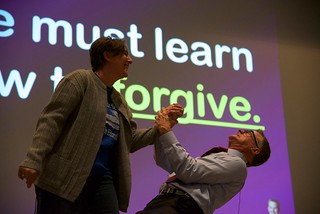
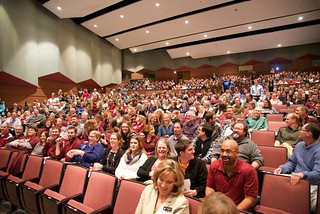
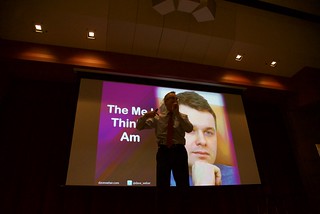
Dave Weber launched the day in the Johnny Carson Theater with a rousing keynote address entitled, "STICKS & STONES EXPOSED: The Truth Behind Words & Relationships" or also known as "Some Days You're The Pigeon... Some Days The Statue".
Dave spoke of the importance of relationship building and the direct correlation with academic success. Humor and sensible advice framed the talk, and all who attended felt motivated to improve social skills with colleagues and students.
Standing ovation for Dave Weber in Norfolk's Johnny Carson Theater
Following the keynote address three different time slots offered over 90 different break-out sessions throughout the Norfolk High School building. Presenters traveled from across the state to share with ESU 8 educators and the quality of content presented was top-notch. Session descriptions and related resources are linked on the event webpage which can still be accessed here:
For those who attended, be sure to complete the feedback form linked to the site and check out resources of the sessions you weren't able to attend. Likewise, if you weren't able to attend, this site can serve as a rich source of information on a wide range of relevant education topics.
A huge shout of appreciation goes out to the ESU 8 and Norfolk Public Schools planning team and all those who contributed to make the 2016 Midwinter Workshop such a successful experience.
The following resources are a sampling of what I have shared with schools interested in the possibilities of Google in education. Basically, this is simply an overview what is possible. Educators are encouraged to pick and choose several tools or things they want to try and then dig in more deeply with the many resources available.