Showing posts with label writing. Show all posts

Monday, April 20, 2020

Awesome Augmented Reality with EyeJack


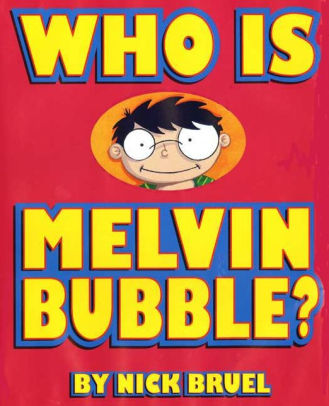
Shirley Rossman, 4th Grade Teacher at West Holt Elementary, leads her students in a creative autobiographical writing project each year. Based on the book "Who is Melvin Bubble?" by Nick Bruel, students engage in perspective writing, as each page describes themself through the eyes of a friend or family member. The final page is all about the student from the point of view of the student themself, and this is where we collaborated for an augmented reality twist to this project. 

  • Students wrote their drafts on paper and collected digital images of the family members and friends who were "telling the story."
  • I created a template file in Keynote that students could personalize with their content and eventually export as pdf for self-publishing/printing. 
  • Using the camera on an iPad, students took pictures of each of their handwritten final draft pages and added them to the appropriate placeholders in the Keynote template.
  • Each photo of the "narrator" of the page was opened in the Clips app, a cartoon filter was added, saved to camera roll, and then Airdropped to the students to add to their book file. 
  • We took photos of the students themself (one close up of their face for the cover and a full-body waving shot for the first and last pages) and used the Clips app to "cartoonize" and Airdrop as well. 
  • Using the free voice memos app each student recorded an audio narration of their final page of text (explaining who they are from their own point of view). 


Using Keynote again, students created an animation for their final page. The trigger image was their waving photo. It was added to a slide and then that slide was duplicated. Slide 1 will become your trigger image (export as png with transparent background) and Slide 2 is where you lock the image to the background and then create your animation around it. Then shapes, drawings, images, etc. were added, formatted, and then animated with motion paths and effects. Timings could be set to automatic, but students were encouraged to aim for about 30 seconds of total animation length (to match the maximum audio recording duration). When complete, the background image was unlocked and deleted, the slide background was set to transparent, and the 2nd slide was exported as a gif. 

I used the EyeJack Creator app (free download for Mac) to assemble each student's augmented reality experience for their final page. 
  1. Add trigger image (exported png from 1st Keynote slide)
  2. Upload animated gif (exported from 2nd Keynote slide)
  3. Add audio (mp3 from Voice Memos)
The EyeJack Creator app generates a QR code which is also saved and placed on the page in each students' Keynote "book."

Now, when people read their book, they use the free EyeJack app on their phone to scan that QR code and then hover over the trigger image on the page to see the animated come to life in AR. 

Each student's finished Keynote book was exported as a pdf. 
I used the softcover Tradebook option (Economy, color) on blurb.com to order a printed copy for each student and their family. (Approximately $5 each when all was said and done.)


In addition, for fun, I made a version for Mrs. Rossman and myself that had just the final page from every student's book into a class compilation of Augmented Reality student "About Me" animations. 


Tuesday, April 14, 2020

March 17th We Knew Everything Would Be All Right: a coronavirus collaboration book project

Every year on 9/11 Mrs. Beth Laible, 2nd grade teacher at West Holt Elementary in Atkinson, Nebraska, reads to her students a was inspired by a story called “September 12th We Knew Everything Would Be All Right.” It was authored and illustrated by a first grade class from an elementary school in Missouri.


Inspired, she wrote "March 17th We Knew Everything Would Be All Right" for her second grade class during the 2020 Coronavirus pandemic and subsequent school closures. She read her version aloud to her students in one of her Facebook posts during their first week of remote learning. Then she asked her students to collaborate with her to help illustrate the pages. Her students created the illustrations for the story during their remote learning experiences at home and sent back with their weekly work to Mrs. Laible. 

Beth reached out to Katie Morrow from ESU 8 for help in printing copies of the book to give to her students as a keepsake from their 2nd grade year, cut short by the pandemic. 

In addition to printing on blurb.com, Katie created a digital version of their book. Using Keynote and iBooks Author, she enhanced the pages with digital animations to bring the story to life. Mrs. Laible recorded the audio narration in Voice Memos on her iPhone and sent to Katie to add to the pages. The digital version of the book is now published on Apple Books. 

Now, anyone with an iPhone, iPad or Mac and an Apple ID can download for free and read this beautiful story for themselves!

http://books.apple.com/us/book/id1507696114
*Note: The book is best viewed in Apple Books on iPad in portrait orientation. Tap the first page thumbnail and then swipe to each subsequent page for the media to auto-play. Enjoy this story and important message!


If not able to view on an Apple device, you can watch a screen recording of the book on my iPhone here:

Tuesday, January 7, 2020

An Elf's Key(note) to Toy Making


Considering applying to be hired as one of Santa’s elves? Complete a written application and demonstrate your toy making abilities with Keynote!

Learn some Keynote skills along the way. All it takes is your imagination and you can prove to Santa that he should hire you as his next lead Elf!

Download the Keynote file here


Enjoy some elves-in-training from Mrs. Sladek's Writing classes here:


And a sneak peek into the toy-making process of these elves:


Tuesday, October 29, 2019

Monster Character Maker

Mrs. Jenny Alder's 4th grade students at Stuart Elementary were kind enough to help me create some monster characters!

Using the brilliant activity from Laura Wright's WrightStuff Interactive, airdropped via Apple Classroom, students got right to work creating unique monster characters in Keynote. 


What resulted was a diverse conglomeration of mostly-friendly monsters, complete with name and the artist's autograph. 


Now the 4th graders will employ their creative writing skills to bring their monster characters to life in writing!


Wednesday, May 8, 2019

Pioneer ABCs: Book creation by 1st graders


To bring to life first grade Social Studies learning, this class created an alphabet book based on the "Little House on the Prairie" series and Westward expansion topics. 

First, Mrs. Willis and her students brainstormed topic options for each of the letters of the alphabet, then assigned to her class. 

Next students researched and wrote their "stories," drawing an accompanying picture on paper.

I shared an ABC book template page via Apple Classroom and worked with the students to publish their work in Pages. Many examples of combining pencil and paper artwork with digital artwork were experimented with. 


Students rotated through some "finishing stations" where they recorded audio with Mrs. Willis or were photographed in a pioneer costume.
 

Finally the pages were submitted to me via Apple Classroom so that I could assemble them in a class alphabet book. 


Now published on the Apple Books Store, you can enjoy it here:

For members of our audience without access to Apple Books, we shared the following additional versions:

Wednesday, March 27, 2019

Six Shot Stories in Science

West Holt 4th graders are at it again! Turning their writing skills into six-shot stories with Clips. This year they took on the added charge of creating their stories about relevant science topics from a list Mrs. Shirley Rossman gave them.

They used a storyboard/planning document to help them plan their video stories, making sure they used six unique camera shots when filming.


Finally, they brought their Six Word Stories to life using Clips on the iPad.


Here are the final products:
Six Shot Science Stories playlist


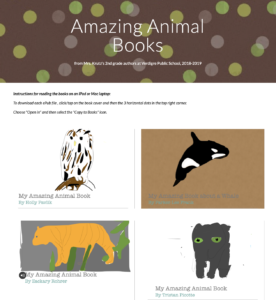
AMAZING Animals books written by AMAZING Authors

For this 2nd grade class, this was the very first time they had ever used Pages... let alone create a digital book. 

They were excited about becoming authors! (mostly!)

I shared a simple template with them via Apple Classroom so that had a starting point for their Amazing Animal book. 
Download and open in Pages
Our first task was to find a cover image, change the opacity, and use the drawing tools in Pages to create original artwork. When the tracing image was deleted, students were so proud of their digital artwork! 


Of course, capturing "selfies" for their "Author the Author" page was pretty fun, too!
 

Next the students added content from their research on each of the pages, enhancing with copyright-friendly photos, shapes & drawing and even image galleries.  
   

The final step was to record audio. Some students recorded a reading of their entire "report" while others recorded bits of text from multiple pages. 


Students exported as ePubs and "handed in" their books via Apple Classroom, and Mrs. Krutz collected them all. To share with family and friends, I posted the epub files on a webpage and also made a screen recording video of each book, so that an audience without an iPad could still hear the students' voices. 

All in one day's work in a second grade classroom!
Amazing Animal Books by Verdigre 2nd grade